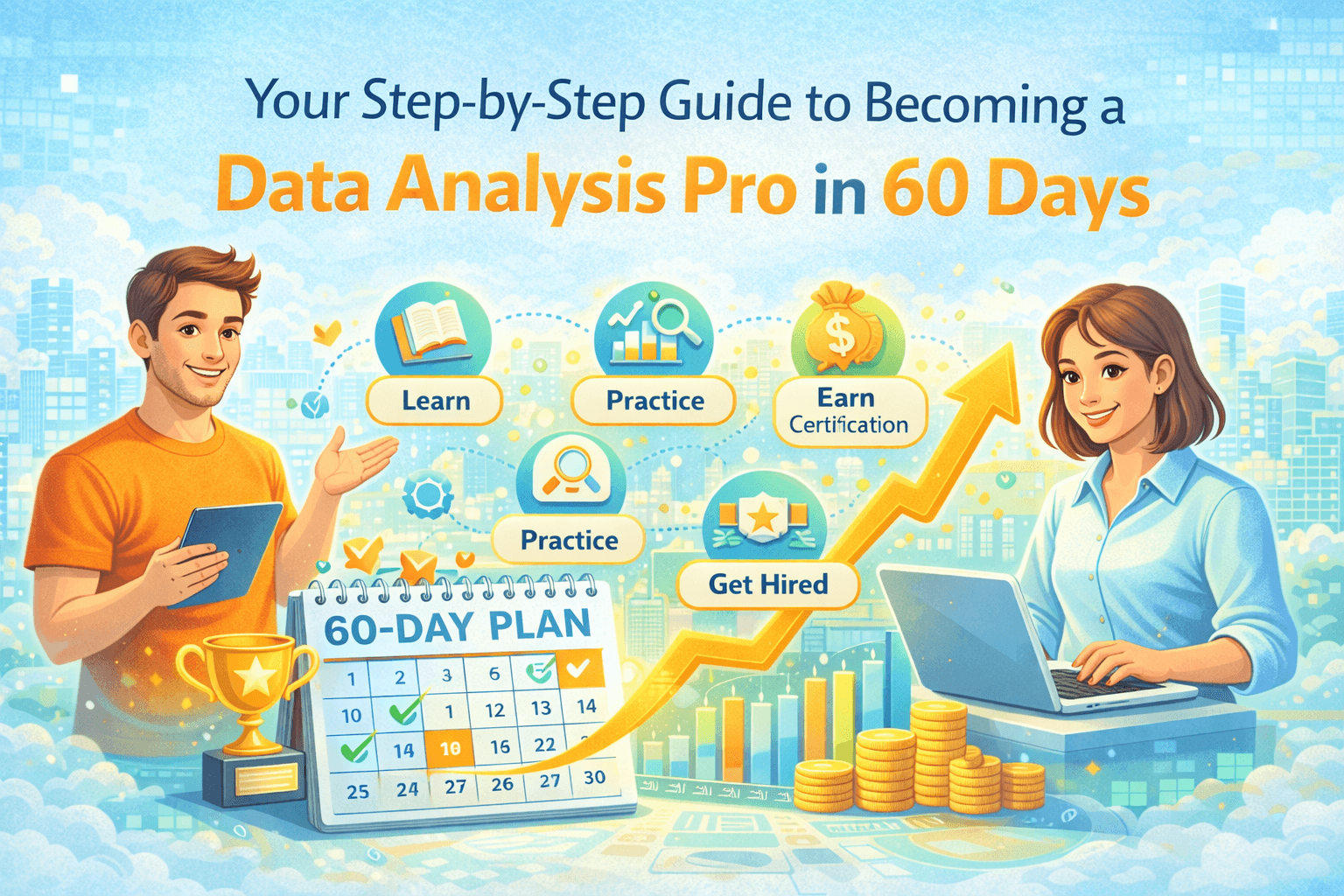
Your Step-by-Step Guide to Becoming a Data Analysis Pro in 60 Days

Gulab Chand Tejwani

10/12/2025

#Blog
Your Step-by-Step Guide to Becoming a Data Analysis Pro in 60 Days

Your Step-by-Step Guide to Becoming a Data Analysis Pro in 60 DaysImage Source: unsplash

Yes, you can become a data analysis pro in just 60 days! At TechNet Consultancy, we help you unlock your potential with a smart, hands-on approach. You need a clear plan, daily learning goals, and real analysis practice to get results fast. Here’s what works best:

Study data for 1 to 2 hours each day instead of cramming once a week.

Use active learning and hands-on practice to build strong data skills.

Try the Pomodoro Technique to keep your focus sharp.

Write a short night diary to remember what you learned.

Connect with other data analyst professionals and seek mentorship to boost your career.

You will master tools like Excel, Python, and visualization. Build a portfolio that shows your data skills and sets you apart.

Key Takeaways

Spend 1 or 2 hours each day learning data analysis. Practicing often helps you remember more and get better skills.

Try using tools like Excel and Python by doing real tasks. Working on real projects helps you understand more and feel more sure of yourself.

Make a strong portfolio that shows your projects. This lets employers see your skills and makes you stand out.

Be active on sites like LinkedIn. Meeting other professionals can help you find jobs and get advice.

Get ready for interviews by practicing common questions. Change your resume to show the skills and projects that matter most.

Data Analysis Roadmap

Data Analysis RoadmapImage Source: unsplash

Are you ready to become a data analyst in 60 days? Let’s look at your plan to learn data analyst skills step by step. You will work on three main things: Excel, Python, and visualization. Each week, you will learn new skills and use real data to practice. TechNet Consultancy says interactive learning and daily goals help you stay focused. Here is how you can do it:

Excel Basics

Excel is the first tool you will use for data analysis. You can do simple math and hard analytics with it. Many new users feel confused by the Excel layout. You might have trouble with formulas or get stuck on things like PivotTables. Don’t worry because everyone starts as a beginner.

Challenge

Description

Mastering the interface

New users often think the Excel layout is confusing and hard to use.

Understanding formulas

Many people have trouble with the logic and rules of Excel formulas, which are important for data analysis.

Utilizing advanced features

Things like PivotTables and VBA can seem hard and scary for new users.

Start with easy jobs like sorting and filtering data. Try writing simple formulas. Next, use functions like VLOOKUP and SUMIF. Make charts and graphs to show your data. By the second week, you should know the layout and formulas. In the third week, try PivotTables and learn to use VBA to save time.

Tip: Make a goal to learn one new Excel skill each day. Use interactive websites to learn faster. Studies show interactive learning helps you remember more.

Knowing Excel helps you get jobs in many fields. Here is how different jobs use Excel for analytics:

Industry

Application of Excel

Financial Sector

Making financial models and predictions

Healthcare

Looking at patient data and making healthcare better

Market Research

Studying what customers do and market changes

Data Visualization

Making charts, graphs, and dashboards for insights

You will use Excel to clean, change, and show data. These skills help you make smart choices and get you ready for harder tools.

Python Essentials

Python is very important for modern analytics. You will use it to clean data, study it, and build models. Start with easy programming ideas. Write small scripts to load and clean data. Learn to use Python libraries for data analysis.

Here is a plan for each week:

Week

Focus Area

Description

1-3

Python Programming

Get used to Python, which is a main programming language in data science.

4-6

Data Manipulation with Pandas

Learn to change and study data with the Pandas library.

7-9

Data Visualization

Learn to show data well using Matplotlib and Seaborn.

10-12

Statistics for Data Science

Learn basic statistics you need for data analysis.

13-15

Machine Learning Basics

Learn about machine learning ideas and algorithms.

16-18

Project Work

Use your new skills in a real project to help you remember.

19-20

Review and Advanced Topics

Go over important ideas and learn harder topics in data science.

Focus on these important Python libraries for analytics:

NumPy

Pandas

Matplotlib

Seaborn

SciPy

scikit-learn

XGBoost

TensorFlow

PyTorch

These libraries help you change data, make graphs, and do machine learning. You will use Pandas to clean and study data. Matplotlib and Seaborn help you make charts and graphs. Knowing Python gives you a big edge when looking for jobs. You will give useful ideas and help others make smart choices. Python is a key skill for any data analyst.

Note: Interactive learning websites can help you learn Python faster. Students who use these tools think better and pay more attention.

Remember to learn sql for data analysis. Practice writing commands to get and clean data from databases. SQL is a must-have skill for working with data.

Visualization Tools

Visualization helps you turn data into clear ideas. You will use tools to make dashboards, charts, and graphs. Start with Excel’s built-in chart tools. Try other tools as you get better.

Here are the most used visualization tools for data analysts:

Tableau: Has strong features and is simple to use.

Power BI: Works well with Microsoft products.

Google Data Studio: Free and good for new users.

Looker: Good for Google Cloud users who want advanced analytics.

Python Libraries (Matplotlib & Seaborn): Make custom graphs for data science.

Excel: Used a lot for data analysis and making graphs.

Visualization skills help you make better choices with data. Banks use dashboards for trading and risk checks. Hospitals use heatmaps to find patient patterns. Companies that teach staff to use visualization do better than those who guess.

Callout: By 2025, most workers will use data to do their jobs better. Visualization tools make data analysis simple for everyone.

Try to make one new chart or dashboard every day. Show your work to others and ask what they think. This habit makes you more confident and helps you get better as a data analyst.

Follow this plan to learn data analyst skills. Practice every day, use interactive learning, and work with real data. TechNet Consultancy’s client-focused way makes sure you get help at every step. You will be ready to solve any analysis problem and make smart choices with data.

Build Your Portfolio

Build Your PortfolioImage Source: unsplash

Building a strong portfolio is your ticket to standing out as a data analyst. You need to show what you can do, not just talk about it. Let’s break down how you can build a portfolio that gets noticed.

Real-World Projects

Start with real-world projects. These help you learn by doing and give you something to show employers. You can find great datasets online. Here are some types of data you can use:

Satellite photograph order: Try to predict the order of Earth images.

Manufacturing process failures: Find faults in manufacturing data.

Multiple choice questions: Predict answers for new questions.

You can also grab data from top sources:

UCI Machine Learning Repository

data.world

Data.gov

Create mini projects using these datasets. Each project should solve a real problem. This hands-on work will help you understand data analysis and build your confidence.

Document Progress

Keep track of your work as you go. Good documentation helps others understand your projects and helps you remember what you did. Here are some best practices:

Best Practice

Description

Document with a purpose

Know who will read your notes and why.

Prioritize deliverables

Focus on results, not just perfect notes.

Keep it simple

Write enough to explain, but don’t overdo it.

Start with a clear purpose

Set goals for each project.

Make a project plan

List your steps, resources, and deadlines.

Write down what you learned, what tools you used, and what results you got. This makes your portfolio stronger.

Share Online

Now it’s time to showcase on linkedin and other platforms. Sharing your projects online helps you get noticed. Employers want to see proof of your skills. When you share your work, you can:

Show real examples of your data analysis skills.

Connect with other data analysts and mentors.

Grow your network and find job leads.

Get feedback to improve your projects.

Post your portfolio and resume on linkedin. Join groups, comment on posts, and talk about your projects. TechNet Consultancy can help you find mentors and connect with industry experts. Stay active and keep learning. Your portfolio will open doors!

Land a Data Analytics Job

Getting your first data analytics job needs more than skills. You need a good resume. You must feel sure in interviews. You also need people who help you. Here is how you can get ready for a data analyst job and stand out.

Resume Tips

Your resume helps you get interviews. Every word matters. Use this table to check if your resume has what recruiters want:

Key Element

Description

Tailored Resumes

Match your resume to each job. Use keywords from the job ad.

Inclusion of Metrics

Show results with numbers. For example, “Improved analysis speed by 30%.”

LinkedIn Profile Link

Add your linkedin link so recruiters can see your full profile.

Clean Layout

Keep your resume easy to read and well-organized.

Highlight Technical Skills

List tools like Excel, Python, and Tableau.

Relevant Projects

Include data analysis projects, even personal or academic ones.

Business Acumen

Show how your work helped the business.

Projects in your resume show you can solve problems. You can use school, personal, or open-source projects. These show your technical and soft skills. They help you stand out for beginner data analytics jobs.

Interview Prep

Get ready for interviews by practicing questions. Here are some you might get:

Type of Question

Example Prompt

How to Prepare

Business Case

“Sales dropped 25%. How would you investigate?”

Explain your steps and focus on business goals.

Technical Skills

“What’s the difference between RANK and DENSE_RANK in SQL?”

Walk through your logic and explain your answer.

Behavioral

“Describe a time you had to manage conflicting requests.”

Use the STAR method to tell your story clearly.

Mock interviews help you feel confident. Practice hard questions with friends or mentors. You will feel calm and ready when it is time.

Networking

Networking helps you find jobs and mentors. Start with linkedin. Join groups, comment on posts, and share your projects. Talk to new contacts to build strong bonds. Many data analysts find jobs through people they know.

Connect with people in data analytics jobs.

Ask for advice on your resume and portfolio.

Find a mentor who can help you grow.

Use TechNet Consultancy’s digital marketing tools to build your brand. Share your story and projects online to reach more people.

Keep applying and practicing. Use all the help you can get. Your next data analytics job could be one connection away!

You finished your 60-day data analysis journey! You learned new things step by step. You practiced every day and built real skills. Doing hands-on work helps you learn better. It also helps you feel more sure of yourself.

Doing practice exercises helps you learn and feel confident.

Exploratory Data Analysis changes raw data into useful ideas.

Hands-on tasks show how to use skills in real business life.

TechNet Consultancy gives you tools and support for your journey. Companies that use data analysis get better at training and making choices.

Evidence Description

Impact on Skill Development

Companies use data analysis to improve L&D plans.

Finds skill gaps and the best ways to train people.

Watching how learners do helps meet learning goals.

Makes plans that work and give real results.

Predictive analytics made productivity go up by 23%.

Uses training time well and helps people do better.

Companies using analytics are three times more likely to make better choices.

Makes training programs work better for everyone.

Keep celebrating your wins as you go.

When you notice your team’s hard work, it makes everyone feel good. It can be a small thank you or a big reward. Celebrating helps everyone see that their work matters and keeps them excited for the next goal.

Your learning does not stop here. Keep learning new things to grow and stay ahead. Here are some facts:

Bar chart showing statistics on career benefits of continuous learning in data analytics

Are you ready for what comes next?

Next Steps

Description

Hands-on Skills

Work on real projects to use your new skills.

Mentorship

Get help and advice from data or business analytics experts.

Mock Interviews

Try practice interviews to get ready for jobs.

Start your change today. Learn more, take action, and make your journey matter!

FAQ

How do I use linkedin to find data analysis jobs?

Search for jobs on linkedin with words like “data analyst.” Set job alerts so you know when new jobs come up. Connect with recruiters to learn about openings. Join groups that talk about data analytics. Share your projects on your profile. This helps hiring managers see your skills.

What should I post on linkedin to build my data analyst brand?

Share your project results and data visualizations on linkedin. Post about what you learned in short messages. Comment on other analysts’ posts to join the talk. Ask questions to learn more. This shows you are active and want to grow.

How can I connect with mentors on linkedin?

Find experienced data analysts on linkedin. Send a friendly message to them. Say why you like their work. Ask if they can share advice or resources. Join linkedin groups where mentors help beginners. Be polite and thank them for their time.

Is it important to update my linkedin profile often?

Yes, keep your linkedin profile up to date. Add new skills, certifications, and projects as you learn. Change your headline and summary when needed. Recruiters look for recent activity on profiles. A fresh profile shows you care about your career and keep learning.

Can I use linkedin to learn new data analysis skills?

Join linkedin Learning for courses on Excel, Python, and visualization tools. Follow hashtags about data analytics. Join group talks and ask questions. Many experts share tips and tutorials on linkedin. This helps you learn faster and stay updated.

See Also

Creating Strong and Effective Blazor Web Applications

Exploring Different Render Modes for Blazor Web Apps