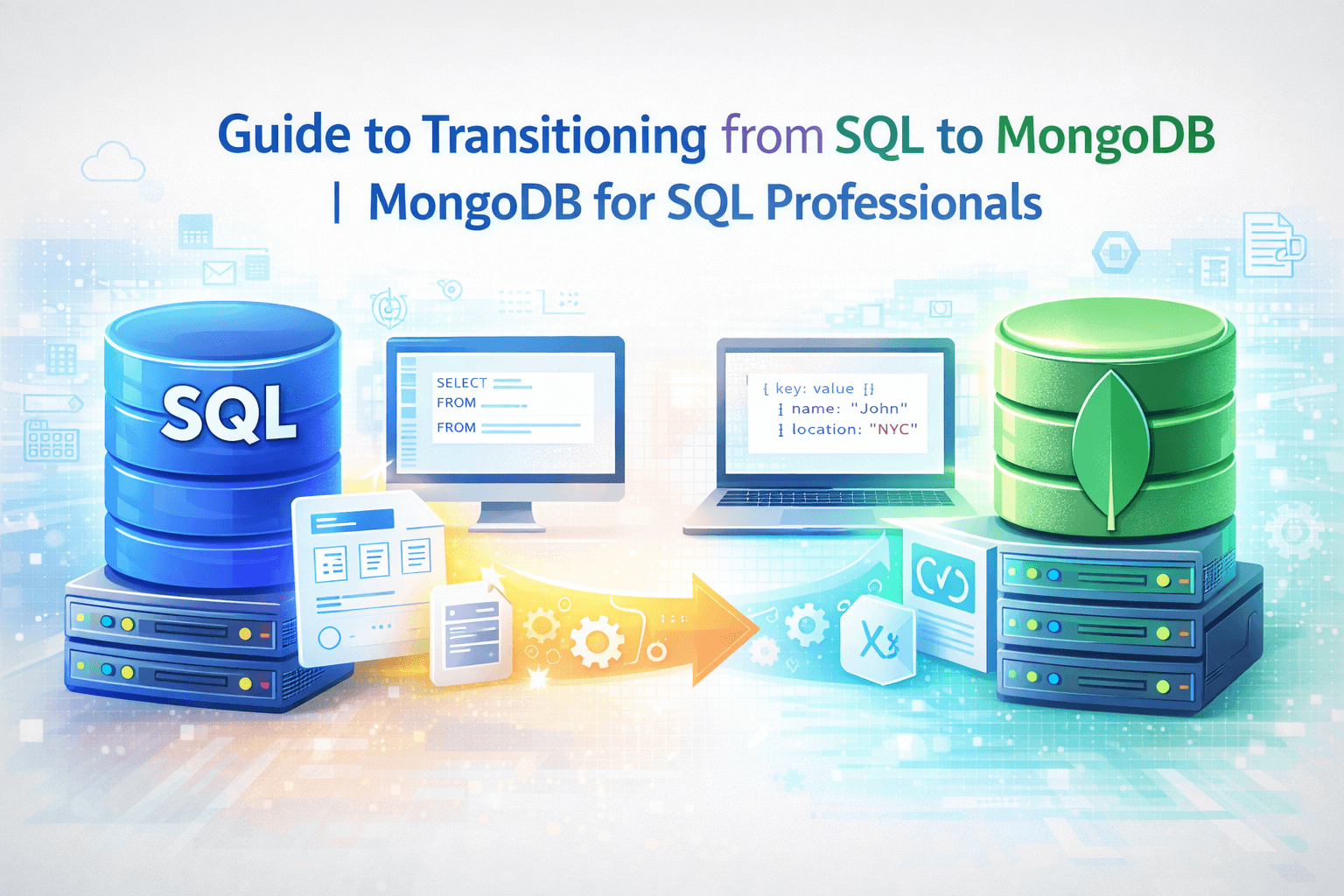
Guide to Transitioning from SQL to MongoDB | Mongodb for SQL Professional
Gulab Chand Tejwani
9/23/2024

Imagine SQL as a well-organized library. Every book has a specific place. MongoDB, on the other hand, feels like a cozy bookstore where books can be shuffled around. SQL has been a reliable friend for years. However, MongoDB offers a dynamic future. Transitioning to MongoDB opens doors to scalability and flexibility. You can handle hierarchical data with ease. Embrace this change, and explore MongoDB for SQL Professional. This journey will transform how you manage data.
Understanding the Differences
Data Models
Relational vs. Document-based database
Imagine a relational database like a neat filing cabinet. Each drawer holds folders, and each folder contains sheets of paper with data. The structure is rigid. Every sheet follows the same format. Now, picture MongoDB as a scrapbook. Each page can have its unique layout. You can mix pictures, notes, and clippings on a single page.
Relational databases use tables to store data. Each table has rows and columns. The structure is predefined. You must plan the schema before adding data. Document-based databases like MongoDB store data in documents. These documents resemble JSON objects. Each document can have a different structure. This flexibility allows you to adapt quickly to changes.
Schema Flexibility
Schema flexibility is like having a wardrobe that adjusts to your clothes. Relational databases require you to know your wardrobe size beforehand. You need to plan every detail. MongoDB offers a flexible wardrobe. You can add new clothes without worrying about space.
In a relational database, changing the schema means altering tables and relationships. This process can be time-consuming. In MongoDB, you can modify documents without affecting others. This flexibility makes MongoDB ideal for applications with evolving data needs.
Query Language
SQL vs. MongoDB Query Language
SQL is like speaking a formal language. You follow strict grammar rules. MongoDB’s query language feels more conversational. You express what you want directly.
Here’s a simple example:
SQL:
SELECT * FROM users WHERE age > 30;
MongoDB:
db.users.find({ age: { $gt: 30 } });
In SQL, you use SELECT to fetch data. In MongoDB, you use find(). Both achieve the same goal but with different syntax.
Aggregation Framework
Think of aggregation as making a smoothie. You blend different ingredients to create something new. SQL uses functions like SUM() or COUNT() for aggregation. MongoDB provides an Aggregation Framework. This framework is powerful and versatile.
Here’s how you might count users over 30 years old:
SQL:
SELECT COUNT(*) FROM users WHERE age > 30;
MongoDB:
db.users.aggregate([
{ $match: { age: { $gt: 30 } } },
{ $count: "totalUsers" }
]);
MongoDB’s aggregation pipeline allows you to perform complex operations. You can filter, group, and transform data in a single query. This capability makes MongoDB a strong choice for data analysis tasks.
Planning and Designing the Schema
Image Source: pexels
Analyzing Current SQL Schema
Identifying Key Tables and Relationships
Start by examining your SQL database. Identify the key tables that hold important data. Look for relationships between these tables. For example, a Customers table might relate to an Orders table through a CustomerID. Understanding these connections is crucial. It helps you plan how data will fit into MongoDB’s document model.
Mapping to MongoDB Collections
Think of mapping SQL tables to MongoDB collections like organizing a closet. Each SQL table becomes a collection. The rows in the table become documents. For instance, the Customers table transforms into a customers collection. Each customer becomes a document within that collection. This step sets the foundation for your MongoDB schema design.
Designing the MongoDB Schema
Embedding vs. Referencing
Decide between embedding and referencing. Embedding is like putting all ingredients in one pot. Everything is together. Use this when data is frequently accessed together. For example, embed order details within a customer document if you often retrieve them together.
Referencing is like having separate pots for each ingredient. Link them when needed. Use this when data is large or accessed separately. For instance, reference order details in a separate collection if they are accessed independently from customers.
Indexing Strategies
Indexing in MongoDB is like creating shortcuts in a maze. It helps you find data quickly. Plan your indexing strategy carefully. Identify fields you search frequently. Create indexes on those fields. For example, if you often search customers by email, index the email field in the customers collection. Proper indexing improves query performance significantly.
Designing your MongoDB schema based on SQL analysis ensures a smooth transition. Use tools like Hackolade to support this process. Update your application code to work with the new schema. Test thoroughly to ensure everything functions as expected.
Choosing the Right Tools
Transitioning from SQL to MongoDB feels like moving from a traditional kitchen to a high-tech one. You need the right gadgets to make cooking efficient and fun. Let’s explore some tools that will help you in this journey.
Migration Tools
Studio 3T
Studio 3T acts like a Swiss Army knife for MongoDB. It lets you compare two collections side-by-side. You can analyze schemas and manage tasks with ease. Imagine needing to import data from SQL to MongoDB. Studio 3T simplifies this with its SQL Import feature. You can move records from a single table into a collection effortlessly. This tool makes managing data in MongoDB simple and efficient.
MongoDB Compass
MongoDB Compass serves as your interactive guide. It helps you query, optimize, and analyze data. You can drag and drop to build pipelines. This makes data exploration intuitive. Compass provides key insights into your data. You can visualize complex queries without writing code. This tool ensures you understand your data better.
Data Validation Tools
JSON Schema
Think of JSON Schema as a blueprint for your data. It defines the structure of your documents. You can ensure data consistency by validating against this schema. JSON Schema helps you catch errors early. You can prevent invalid data from entering your database. This keeps your data clean and reliable.
MongoDB Atlas
MongoDB Atlas offers a cloud-based solution. It provides automated data validation. You can set rules to enforce data integrity. Atlas also offers real-time performance monitoring. This helps you optimize your database efficiently. With Atlas, you gain peace of mind knowing your data is secure and well-managed.
Choosing the right tools makes your transition smoother. These tools empower you to handle MongoDB with confidence. Embrace them, and you’ll find MongoDB as welcoming as your favorite kitchen gadget.
Testing and Migration
Image Source: unsplash
Testing and migration feel like preparing for a big move. You want everything to fit perfectly in the new space. Let’s dive into how you can ensure a smooth transition.
Testing the New Schema
Unit Testing
Unit testing acts like checking each box before moving. You want to make sure every item is in the right place. In the context of databases, unit testing involves verifying individual components of your new MongoDB schema. You test each document and field to ensure they function correctly. This step helps catch errors early.
Imagine you have a users collection. You need to verify that each user document contains the necessary fields, like name, email, and age. You can use tools like Mocha or Jest to automate these tests. These tools help you ensure that your schema behaves as expected.
Integration Testing
Integration testing feels like arranging furniture in your new home. You want to see how everything fits together. This type of testing checks how different parts of your application interact with the MongoDB database. You test the entire workflow to ensure seamless data retrieval and storage.
For example, you might test a feature that retrieves user orders from the orders collection. You want to ensure that the application fetches the correct orders for each user. Integration testing helps identify any issues with data flow and interaction.
Incremental Migration
Phased Approach
The phased approach resembles moving one room at a time. You gradually shift data from SQL to MongoDB. This strategy allows you to test and optimize each phase before proceeding. You start with non-critical data and gradually move to more important datasets.
Imagine a scenario where you migrate customer data first. You test the migration process and ensure data integrity. Once satisfied, you proceed with order data. This approach minimizes risks and ensures a smooth transition.
Rollback Strategies
Rollback strategies act as your safety net. You want a plan if something goes wrong during migration. A rollback strategy allows you to revert to the previous state without data loss. You create backups of your SQL database before migration.
Consider using tools like MongoDB’s mongodump and mongorestore for backup and restoration. These tools help you safeguard your data. If any issues arise, you can quickly restore the previous state and address the problem.
Using a Python migration library, one team successfully moved data to MongoDB in just two days. The migration happened in real-time with 200 workers working simultaneously. The team completed the migration without closing the project. This experience highlights the importance of careful planning and execution.
MongoDB plays a crucial role in handling large-scale applications efficiently. One company faced scaling issues with SQL Server due to increasing customers and concurrent logins. MongoDB provided the scalability needed to overcome these challenges.
Testing and migration require meticulous planning and execution. By following these steps, you ensure a successful transition to MongoDB.
Post-Migration Monitoring and Optimization
Transitioning to MongoDB marks a new chapter in your data management journey. Now, you need to ensure everything runs smoothly. Let’s explore how to monitor and optimize your MongoDB setup effectively.
Monitoring Performance
Monitoring performance is like keeping an eye on your car’s dashboard. You want to ensure everything operates within the right parameters.
Using MongoDB Monitoring Tools
MongoDB offers several tools to help you monitor database performance. MongoDB Performance Expert says, “MongoDB provides monitoring commands and tools to enhance database performance and check the health of your database instances.” Use these tools to track metrics like CPU usage, memory consumption, and disk I/O.
Tools like MongoDB Atlas provide real-time insights into your database’s health. You can set up alerts for specific thresholds. This proactive approach helps you address potential issues before they escalate.
Analyzing Query Performance
Analyzing query performance feels like tuning a musical instrument. You want each note to sound perfect. Slow queries can impact database performance. Use MongoDB’s explain() function to analyze query execution plans. Identify bottlenecks and optimize queries for better performance.
Here’s a simple example:
db.users.find({ age: { $gt: 30 } }).explain("executionStats");
This command provides detailed information about the query’s execution. Use this data to identify areas for improvement.
Optimization Techniques
Optimization techniques act like a personal trainer for your database. You want to keep it in peak condition.
Index Optimization
Indexes in MongoDB work like a library’s card catalog. They help you find information quickly. Proper indexing improves query performance significantly. Identify fields frequently used in queries and create indexes on them.
For example, if you often search for users by email, create an index on the email field:
db.users.createIndex({ email: 1 });
This index speeds up searches and enhances overall performance.
Sharding Strategies
Sharding in MongoDB resembles dividing a large puzzle into smaller pieces. Each piece fits together to form the complete picture. Sharding distributes data across multiple servers, improving scalability and performance.
Consider using sharding when dealing with large datasets. Choose a sharding key that evenly distributes data. Monitor shard performance to ensure balanced workloads.
Expert Testimony: The MongoDB Performance Expert notes, “Performance issues may indicate that the database is not working as hard as it could and that specific optimizations could lead to better performance.”
By implementing these monitoring and optimization strategies, you ensure your MongoDB setup remains efficient and reliable. Embrace these techniques to unlock the full potential of your database.
MongoDB for SQL Professionals
Transitioning to MongoDB from SQL feels like moving from a structured office to an open workspace. You find more room to breathe and innovate. Let’s explore how you can adapt and leverage MongoDB’s unique features.
Adapting to Document-based Models
Imagine SQL tables as rigid grids. Each cell holds a specific piece of data. MongoDB, however, resembles a flexible canvas. You can paint each document with different colors and shapes.
In SQL, you might have a Customers table:
SELECT * FROM Customers WHERE age > 30;
In MongoDB, the same query looks like this:
db.customers.find({ age: { $gt: 30 } });
MongoDB allows each document to have its own structure. You can store customer details and order history in one place. This approach simplifies data retrieval.
Leveraging MongoDB’s Flexibility
MongoDB’s flexibility feels like having a magic backpack. You can fit anything without worrying about space. You can add new fields to documents on the fly.
Consider a scenario where you need to add a new field, membershipStatus, to customers. In SQL, you alter the table:
ALTER TABLE Customers ADD membershipStatus VARCHAR(255);
In MongoDB, you simply update the document:
db.customers.updateMany({}, { $set: { membershipStatus: "active" } });
MongoDB’s dynamic schema lets you adapt quickly to changing requirements. You can focus on innovation rather than structure.
**MongoDB for SQL **Professional offers a world of possibilities. Embrace the freedom to design your data model. Enjoy the flexibility to grow and evolve with your application needs.
You have embarked on a journey from SQL to MongoDB. The migration process involves understanding differences, planning schemas, choosing tools, and testing. Continuous learning keeps you ahead in this dynamic field. MongoDB offers flexibility and scalability. You can adapt quickly to changes. MongoDB handles unstructured data efficiently. Embrace MongoDB’s benefits for innovative data management. Your data strategy evolves with MongoDB’s capabilities.